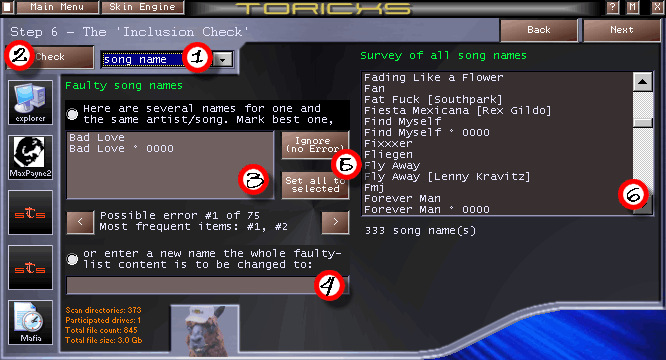
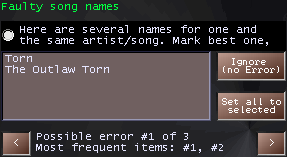
In step 6, you can perform an ‘Inclusion Error Check’.
Step 6 works almost the same as step 5,
but Toricxs searches the TAG data not for spelling errors, but for ‘Inclusion Errors’. ‘What the hell is that?’ you might ask. Well, that’s not that hard to understand. An inclusion error exists if there are two song- or artist names where one name is completely included within another. This often happens if some artist names are saved
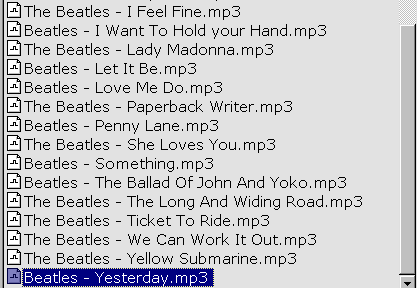
without an article, and others include an article. Example:
Ok, I’m not a Beatles fan, but that’s just a
good example. The one I got the files from collected them from different people, some guys used ‘Beatles’ as the artist name, and others used ‘The Beatles’. But as I (and surely you, too) want to have one
coherent naming Louis developed the ‘Inclusion Error check’. Toricxs will report the inconsistent spelling (3), and you can decide what you want to see in your final, cleaned-up collection. Just
double-click on the desired name, enter a new one manually (into text field (4)), or press ‘Ignore’ (5) if you want to retain the files in their current form.
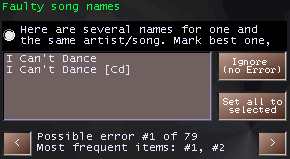
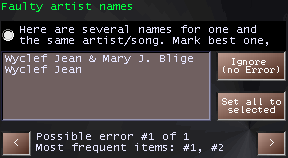
Here are some further examples from my collection: